The rise of AI writing tools has revolutionised content creation, making it faster and more efficient. Canva Magic Write AI is at the forefront of this innovation, offering users an automatic content generation solution that simplifies the writing process.
With the increasing demand for high-quality content, understanding how to leverage Canva Magic Write AI is crucial for creators and businesses alike. This guide addresses 50 frequently asked questions about this powerful tool, providing insights into its capabilities and applications.
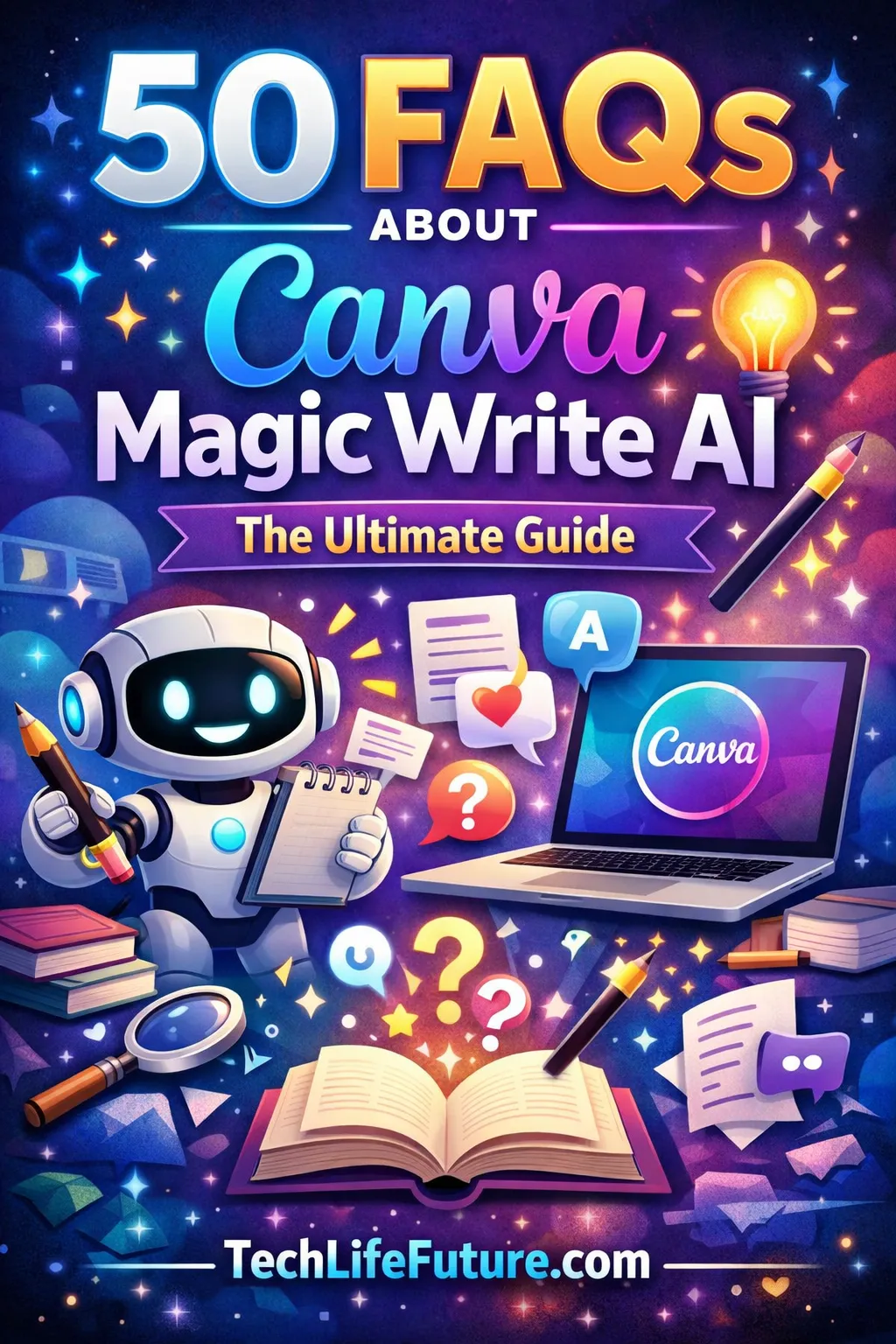
With the increasing demand for high-quality content, understanding how to leverage Canva Magic Write AI is crucial for creators and businesses alike. This guide addresses 50 frequently asked questions about this powerful tool, providing insights into its capabilities and applications. By exploring the FAQs, users can unlock the full potential of this AI writing tool, enhancing their content creation workflow and achieving their goals more effectively.
What Is Canva Magic Write AI
As a cutting-edge writing assistant tool, Canva Magic Write AI is designed to simplify content generation. It utilizes advanced artificial intelligence to produce high-quality text based on user inputs.
What Is Canva Magic Write Used For?
Canva Magic Write helps users create content quickly and efficiently. In particular, it works as a powerful Canva text generator that produces engaging text for many purposes, such as:
- Blog posts
- Social media content
- Marketing materials
- Academic writing
As a result, content creators, marketers, and students frequently use Canva Magic Write to save time, boost productivity, and improve overall writing quality.
How Canva Magic Write AI Works
Canva Magic Write AI functions through advanced AI algorithms designed to simplify content creation. First, when a user provides a prompt or topic, the AI analyzes the input to understand its context. Then, it evaluates relevant data and language patterns to generate meaningful content.
Specifically, this process includes:
- Understanding the context of the prompt
- Analyzing relevant data to shape the content
- Producing a clear and coherent draft based on the analysis
Consequently, the AI delivers content that users can easily edit and customize. Ultimately, this demonstrates how artificial intelligence writing software streamlines the writing process and supports faster, more effective content creation.
Getting Started with Canva Magic Write
Getting started with Canva Magic Write is straightforward, and this section will guide you through the process. To begin using this powerful AI tool, you first need to understand how to access it within Canva’s platform.
How to Access Canva Magic Write
Accessing Canva Magic Write is a simple process. To start, log in to your Canva account and navigate to the editor where you want to create content. Once you’re in the editor, look for the ‘Magic Write’ button, usually found in the toolbar or under the ‘Apps’ or ‘Features’ section, depending on your Canva plan. Clicking on ‘Magic Write’ will activate the AI writing tool, allowing you to input your prompts and generate content.
- Log in to your Canva account.
- Navigate to the Canva editor.
- Locate the ‘Magic Write’ button.
- Click on ‘Magic Write’ to activate it.
Is Canva Magic Write Free or Paid
Canva Magic Write is available to both free and paid Canva users, although the extent of its features may vary depending on your subscription plan. For users with a free plan, there might be limitations on the number of times you can use Magic Write or the complexity of the content it can generate. Paid plans, on the other hand, offer more extensive use of Magic Write, along with additional features that enhance its functionality.
Key differences between free and paid plans include:
- Usage limits: Free plans have limited usage, while paid plans offer more generous allowances.
- Advanced features: Paid plans provide access to more advanced features and customization options.
- Priority support: Paid users often receive priority support, ensuring any issues are resolved quickly.
By understanding these differences, you can choose the plan that best suits your content creation needs.
Source: https://www.canva.com/pricing/
Features of Canva Magic Write AI
One of the key strengths of Canva Magic Write AI lies in its diverse features that cater to various content needs. This versatility makes it an attractive option for users looking to create a wide range of content types.
Content Types You Can Create with Magic Write
Canva Magic Write AI supports the creation of various content types, making it a valuable tool for different users. Some of the content types you can create include:
- Blog posts and articles
- Social media captions and posts
- Marketing copy and sales pages
- Product descriptions and e-commerce content
Automated content creation is simplified with Canva Magic Write AI, allowing users to produce high-quality content quickly.
Language and Tone Customization Options
Canva Magic Write AI offers language and tone customization options to ensure that the generated content meets the user’s specific needs. Users can adjust the tone to be professional, friendly, or persuasive, depending on their audience and purpose.
- Select from various language options to create content that resonates with your target audience.
- Adjust the tone to suit your brand’s voice and style.
- Use the AI’s suggestions to refine your content and make it more engaging.
By leveraging these features, users can create high-quality content that aligns with their brand identity and messaging.
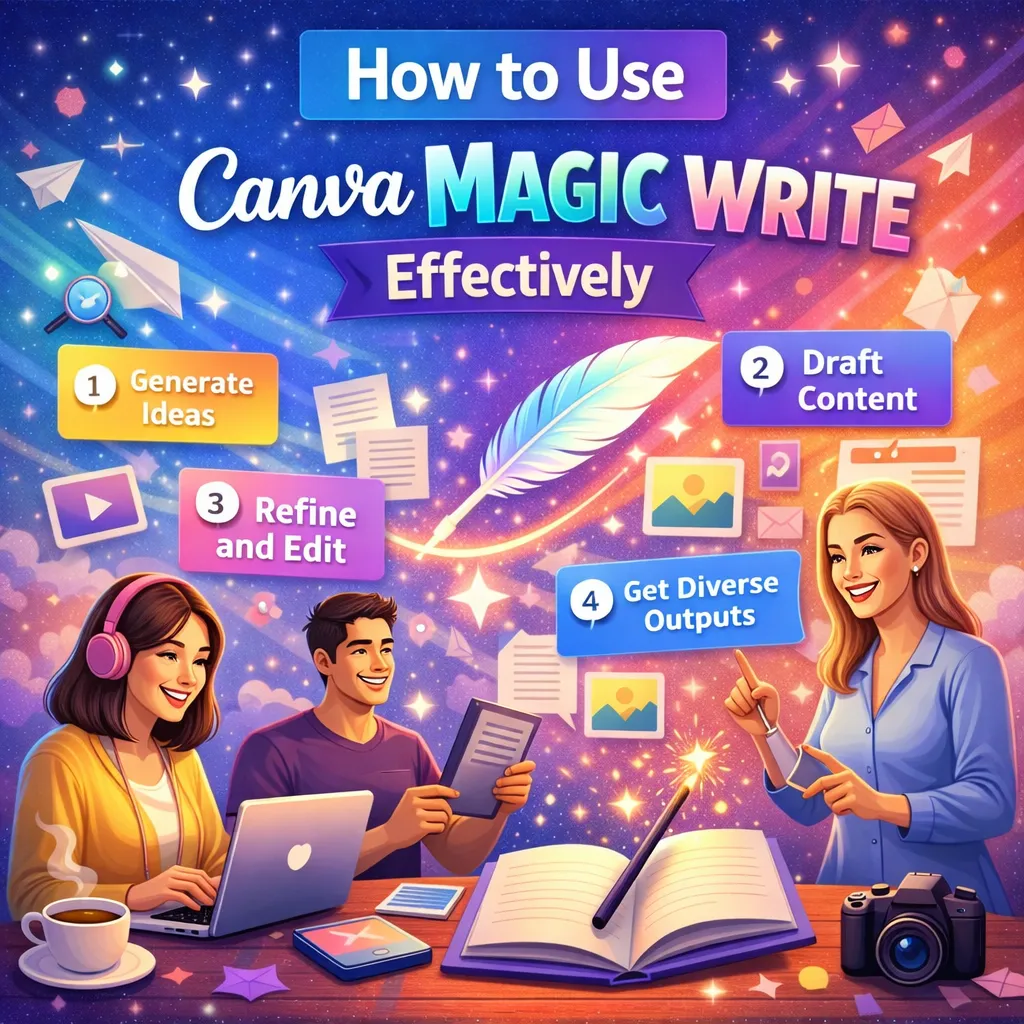
How to Use Canva Magic Write Effectively
The key to successful content generation with Canva Magic Write lies in its effective utilization. To harness the full potential of this canva ai writing tool, users must understand how to craft the right inputs and refine the outputs to achieve high-quality content.
Writing Better Prompts for Accurate Output
Crafting effective prompts is crucial for obtaining accurate and relevant content from Canva Magic Write. To achieve this, it’s essential to be specific with your requests, providing enough context for the AI to understand the topic and the tone you’re aiming for.
- Clearly define the topic or subject matter.
- Specify the desired tone and style of the content.
- Provide any relevant background information or context.
By doing so, you enable the artificial intelligence writing tool to produce content that closely aligns with your needs, reducing the need for extensive editing.
Editing and Improving AI-Generated Content
While Canva Magic Write can generate high-quality content, it’s not perfect. Editing is a crucial step to ensure the output meets your standards. Review the generated content for accuracy, relevance, and coherence.
- Check for factual accuracy and update any outdated information.
- Adjust the tone and style to better match your brand voice.
- Refine the content to improve clarity and readability.
By combining the creative capabilities of Canva Magic Write with your editorial oversight, you can produce compelling and effective content that resonates with your audience.
Canva Magic Write for Content Creators
Content creators are constantly looking for innovative tools to streamline their workflow, and Canva Magic Write is revolutionizing the way we produce content. By leveraging the power of AI, Canva Magic Write enables creators to generate high-quality content quickly and efficiently, allowing them to focus on other aspects of their work.
<strong>Streamlining Content Creation with Canva Magic Write means that creators can produce a variety of content types, from blog posts to social media updates, with ease. This not only saves time but also ensures consistency across different platforms.
Using Magic Write for Blog Content
Blog content is a crucial aspect of any content creator’s strategy, and Canva Magic Write can be a valuable tool in this area. By providing a prompt or topic, creators can use Magic Write to generate well-structured and engaging blog posts. This can be particularly useful for coming up with ideas, outlining posts, or even drafting entire articles. <p>For instance, a creator can input a topic into Magic Write and receive a draft that they can then refine and customize to fit their brand’s voice and style. This process not only speeds up content creation but also helps in maintaining a consistent tone across the blog.
Social Media and Marketing Copy with Canva AI
Social media and marketing copy are other areas where Canva Magic Write shines. Creators can use the tool to craft compelling social media posts and marketing copy that resonate with their audience. By adjusting the tone and language to fit the brand’s voice, creators can ensure that their messaging is consistent across all platforms.
One of the key benefits of using Canva Magic Write for social media and marketing content is the ability to produce a high volume of content quickly. This is particularly useful for campaigns that require multiple posts or for maintaining an active presence on social media.
- Generate social media posts that engage your audience
- Create marketing copy that drives results
- Customize the tone and language to fit your brand
By incorporating Canva Magic Write into their workflow, content creators can not only save time but also enhance the quality and consistency of their content. Whether it’s for blog posts, social media, or marketing copy, Canva Magic Write is a powerful tool that can help creators achieve their goals.

Canva Magic Write for Students and Beginners
For students and beginners, Canva Magic Write offers a powerful tool for enhancing their writing skills. This AI-driven feature can significantly support academic writing by providing suggestions, completing sentences, and even generating content based on a given prompt.
Academic Writing Support with AI
Canva Magic Write can be a valuable resource for students working on essays, research papers, and other academic assignments. It helps in several ways:
- Generating ideas and outlines for essays
- Completing paragraphs based on initial sentences
- Suggesting alternative phrases for better clarity
By leveraging these capabilities, students can improve the quality of their writing and manage their workload more effectively.
Ethical Use of AI Writing Tools
While AI writing tools like Canva Magic Write offer significant benefits, it’s crucial for students to use them ethically. Here are some considerations:
- Originality: Ensure that the final work is original and not directly copied from the AI-generated content.
- Transparency: Be transparent about using AI tools for assistance, if required by your institution.
- Understanding: Use AI tools to enhance understanding and learning, rather than just completing assignments.
By using Canva Magic Write responsibly, students can harness the power of AI to improve their academic writing while maintaining academic integrity.
Canva Magic Write vs Other AI Writing Tools
With numerous AI writing tools available, understanding the strengths and weaknesses of Canva Magic Write in comparison to ChatGPT and Jasper AI is crucial for content creators. The landscape of AI-powered writing is diverse, with each tool offering unique features and capabilities.
Canva Magic Write vs ChatGPT
Canva Magic Write and ChatGPT are both AI-driven writing tools, but they serve different purposes and have distinct functionalities. Canva Magic Write is integrated within the Canva platform, making it ideal for users who are already leveraging Canva for graphic design and visual content creation. It is designed to assist with generating text for various content types, from social media posts to blog articles, directly within the Canva environment.
Key differences between Canva Magic Write and ChatGPT:
- Integration: Canva Magic Write is part of the Canva suite, while ChatGPT is a standalone AI chatbot developed by OpenAI.
- Purpose: Canva Magic Write is tailored for visual content creation and graphic design, whereas ChatGPT is a more general-purpose AI tool capable of handling a wide range of text-based tasks.
- User Interface: The user experience is optimized for Canva users, making it intuitive for those familiar with the platform, whereas ChatGPT requires a different set of skills to use effectively.
Canva Magic Write vs Jasper AI
Jasper AI is another prominent player in the AI writing tool market, known for its advanced content generation capabilities. When comparing Canva Magic Write to Jasper AI, several factors come into play, including the type of content they are designed to produce, their ease of use, and their integration with other platforms.
Key differences between Canva Magic Write and Jasper AI:
- Content Type: Jasper AI is geared towards producing high-quality, long-form content, whereas Canva Magic Write is versatile and can handle a variety of content types, including short-form content.
- Customization: Both tools offer customization options, but Jasper AI is known for its advanced features in tailoring content to specific brand voices and styles.
- Integration: Canva Magic Write’s integration with Canva is a significant advantage for users already within the Canva ecosystem, while Jasper AI can be used as a standalone tool or integrated with other platforms through APIs.
In conclusion, while Canva Magic Write, ChatGPT, and Jasper AI are all powerful AI writing tools, they cater to different needs and user preferences. Understanding these differences is key to selecting the most appropriate tool for specific content creation tasks.
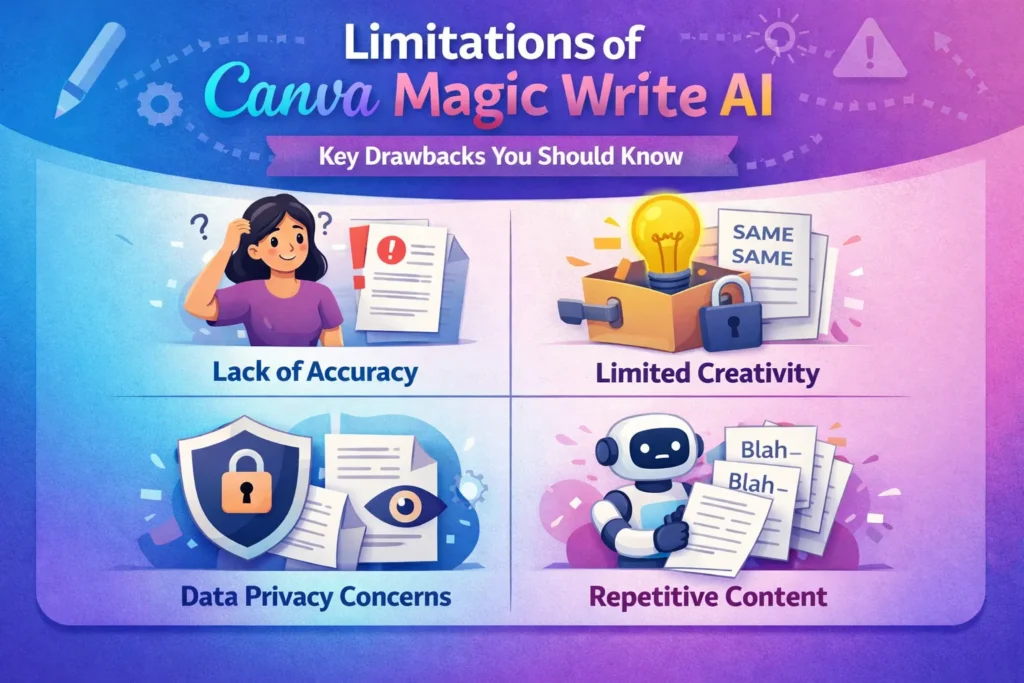
Limitations of Canva Magic Write AI
While Canva Magic Write AI is a powerful tool, it is not without its limitations. As with any AI technology, there are certain constraints and challenges that users may encounter. Understanding these limitations is crucial for maximizing the tool’s potential and ensuring the quality of the output.
Common Issues and Accuracy Limitations
Canva Magic Write AI, like other AI writing tools, can sometimes struggle with understanding the nuances of language or the specific context of a prompt. This can lead to outputs that are not entirely accurate or relevant. Common issues include misinterpreting the tone or style required, or generating content that doesn’t fully align with the user’s expectations.
To mitigate these issues, it’s essential to craft well-defined prompts and to review the output carefully. <strong>Accuracy limitations can also arise from the data used to train the AI; if the training data contains biases or inaccuracies, these can be reflected in the generated content.
When Human Editing Is Necessary
Human editing is a critical step in the content creation process when using Canva Magic Write AI. While the AI can generate high-quality content, there are instances where human judgment and oversight are necessary. This includes ensuring that the content meets specific standards, is free from errors, and aligns with the intended message.
Human editors can refine the AI-generated content, making adjustments to tone, style, and clarity as needed. They can also fact-check and verify information to ensure accuracy. <em>The collaboration between AI and human editors represents a powerful approach to content creation, leveraging the strengths of both to produce superior results.
FAQ
Canva Magic Write AI has become a go-to tool for many, and in this section, we’ll tackle the most common questions surrounding its use. Here are some frequently asked questions about Canva Magic Write AI.
Q: What is Canva Magic Write AI?
Canva Magic Write AI is an artificial intelligence-powered writing tool integrated into the Canva graphic design platform, helping users generate high-quality content quickly.
Q: Is Canva Magic Write free?
Canva Magic Write is available with a Canva subscription. While Canva offers a free version, access to Magic Write might be limited to paid plans.
Q: What types of content can I create with Canva Magic Write?
You can create a variety of content, including blog posts, social media captions, marketing copy, and more, using the AI writing capabilities of Magic Write.
Q: How do I use Canva Magic Write effectively?
To use Canva Magic Write effectively, provide clear and specific prompts, and then edit the generated content to fit your needs and tone.
Q: Can I customize the tone and language of the AI-generated content?
Yes, Canva Magic Write allows you to customize the tone and language to suit your brand’s voice and style.
Q: What is Canva Magic Write AI?
Canva Magic Write AI is an artificial intelligence writing tool integrated into the Canva graphic design platform, enabling users to generate high-quality content quickly and efficiently.
Q: How does Canva Magic Write AI work?
Canva Magic Write AI uses natural language processing algorithms to understand the context and generate human-like text based on the input provided by the user, such as a prompt or topic.
Q: Is Canva Magic Write AI free to use?
Canva Magic Write AI is available as part of Canva’s paid subscription plans, although some limited features may be accessible for free. Users can check Canva’s pricing page for the most up-to-date information.
Q: What types of content can I create with Canva Magic Write?
Canva Magic Write can be used to generate a variety of content, including blog posts, social media posts, marketing copy, and more, depending on the user’s needs and the input provided.
Can I customize the language and tone of the content generated by Canva Magic Write?
Yes, Canva Magic Write allows users to customize the language and tone of the generated content to suit their specific needs and brand voice.
Q: How do I access Canva Magic Write within Canva?
To access Canva Magic Write, users need to log in to their Canva account, navigate to the relevant design or document, and look for the Magic Write feature, usually found in the text editing section.
Q: Can I use Canva Magic Write for academic writing?
Yes, Canva Magic Write can be used for academic writing, but users should be aware of the ethical considerations and ensure that the generated content is properly cited and original.
Q: How does Canva Magic Write compare to other AI writing tools like ChatGPT?
Canva Magic Write is designed to integrate seamlessly with Canva’s design platform, making it ideal for users who need to generate content and design materials simultaneously, whereas ChatGPT is a standalone AI writing tool with different capabilities.
Q: What are the limitations of Canva Magic Write AI?
While Canva Magic Write is a powerful tool, it may have limitations in terms of accuracy, context understanding, and the need for human editing to ensure quality and relevance.
Q: Can I use Canva Magic Write for social media content creation?
Yes, Canva Magic Write is suitable for generating social media content, including captions, posts, and other engaging content, helping users save time and maintain consistency.
Q: Is it necessary to edit the content generated by Canva Magic Write?
Yes, it is recommended to review and edit the content generated by Canva Magic Write to ensure it meets the desired standards, is accurate, and aligns with the user’s brand voice.
Q: Can Canva Magic Write help with writer’s block?
Yes, Canva Magic Write can be a useful tool for overcoming writer’s block by generating ideas, outlines, or even complete drafts, helping users get started or continue their writing projects.
Q: How do I write effective prompts for Canva Magic Write?
To get the best results from Canva Magic Write, users should provide clear, concise, and specific prompts that outline the topic, tone, and style required for the content.
Q: Can I use Canva Magic Write for marketing copywriting?
Yes, Canva Magic Write can be used to generate marketing copy, including product descriptions, promotional materials, and other content that requires a persuasive tone and style.
Q: What are the benefits of using Canva Magic Write for content creation?
The benefits of using Canva Magic Write include saving time, increasing productivity, and generating high-quality content that is engaging and relevant to the target audience.
Q: Is Canva Magic Write suitable for beginners?
Yes, Canva Magic Write is user-friendly and accessible to beginners, providing a helpful tool for those who are new to content creation or need assistance with writing.
Q: Can I use Canva Magic Write for blog content generation?
Yes, Canva Magic Write is suitable for generating blog content, including articles, posts, and other written materials that require a clear and engaging style.
Q: How does Canva Magic Write handle different languages?
Canva Magic Write supports multiple languages, allowing users to generate content in the language of their choice, although the quality and accuracy may vary depending on the language.
Conclusion
In summary, the features and advantages of Canva Magic Write AI position it as a leading AI writing tool. Throughout this guide, we’ve explored its capabilities, from content creation to language customization, highlighting its significance for both professionals and beginners.
Canva Magic Write AI has proven to be a valuable asset for content creators, students, and marketers alike, offering a range of benefits that enhance productivity and efficiency. Its ability to generate high-quality content quickly and accurately makes it an indispensable resource in today’s fast-paced digital landscape.
Efficient content creation, customizable tone and language, and a user-friendly interface are just a few of the advantages that make Canva Magic Write AI stand out. As we’ve discussed, while it has its limitations, the tool’s benefits far outweigh its drawbacks, making it a worthwhile investment for anyone looking to elevate their content creation process.
By leveraging Canva Magic Write AI, users can not only streamline their workflow but also produce engaging, high-quality content that resonates with their audience. As the digital landscape continues to evolve, tools like Canva Magic Write AI will play an increasingly important role in shaping the future of content creation.
About the Author & Disclosures
John Cosstick is Founder-Editor of TechLifeFuture.com and winner of the 2024 BOLD Award for Open Innovation in Digital Industries. He is a former banker, accountant, and certified financial planner. He is now a freelance journalist and author. John is a member of the Media Entertainment and Arts Alliance (Union). You can visit his Amazon author page by clicking HERE.
Reference Links
- Magic Write: AI Text Generator & AI Writer: https://www.canva.com/magic-write/
- AI in Education Research – Artificial Intelligence in Education: https://library.dsu.edu/c.php?g=1352767&p=10002403
- How to Use Magic Write in Canva: 1-Min Guide: https://www.storylane.io/tutorials/how-to-use-magic-write-in-canva
- AI Writing Tools: https://techcrunch.com/2025/04/10/canva-is-adding-an-ai-assistant-coding-and-sheets-to-its-platform/
- Forbes – The Future of Content Creation: https://www.forbes.com/sites/bernardmarr/2023/11/30/generative-ai-and-the-future-of-content-creation/