In today’s competitive market, a strong brand identity is crucial for businesses to stand out. With over 100 million active users, Canva’s ai-powered design software has become a go-to platform for creating stunning visual content.
A well-designed brand can increase customer loyalty by up to 33%, according to recent studies. By leveraging Canva’s AI branding tools, businesses can create consistent and engaging brand visuals that resonate with their target audience.
By utilizing Canva’s innovative technology, businesses can elevate their brand presence and drive growth. In this article, we’ll explore how to harness the power of Canva’s AI design tools to boost your brand.
Introductions
With Canva’s AI-powered features, entrepreneurs can now create professional designs without needing to be experts. Canva’s online graphic design service has made it possible for small businesses to produce high-quality visual content without requiring extensive design experience.
The Canva design editor is now more powerful than ever, thanks to its integration with AI technology. This means users can create stunning designs quickly and efficiently, leveraging Canva Pro features such as advanced templates and customization options.
By utilizing Canva’s AI design tools, small businesses can significantly enhance their branding efforts. These tools enable users to create consistent and professional-looking designs that can elevate their brand’s visual identity.
Whether you’re a startup or an established business, Canva’s AI-driven design capabilities can help you produce engaging marketing materials, social media graphics, and more. This not only saves time but also ensures that your brand’s visual elements are cohesive and impactful.
What Are Canva’s AI Design Tools
Canva has introduced a range of AI-driven design tools that simplify the design process, making it easier for businesses and individuals to create professional-grade visual content.
Overview of Canva AI features
Canva’s AI design tools are equipped with advanced features that streamline the design process. These include Magic Design, Magic Write, and Text to Image, among others. To learn more about these features, you can visit Canva’s official website.
The AI technology integrated into Canva’s platform enables users to generate high-quality designs quickly. This is particularly beneficial for non-designers who lack extensive design experience but need to produce visually appealing content.
How Canva AI works for non-designers
For non-designers, Canva’s AI design tools are a game-changer. The intuitive interface and AI-driven features allow users to create professional designs without needing to learn complex design software. You can find more information on how Canva AI works for non-designers on Canva’s design blog.
By leveraging AI, Canva enables users to focus on their creative vision rather than getting bogged down in design technicalities. This results in faster content creation and a more consistent brand identity.
Why Canva AI Is a Game-Changer for Branding
With Canva AI, creating a strong brand identity is now more accessible than ever. The integration of AI technology into Canva’s design tools has streamlined the branding process, making it easier for businesses to produce high-quality visual content.
Faster Brand Content Creation
One of the significant advantages of using Canva AI for branding is the speed at which content can be created. Canva’s AI design features enable users to produce professional-grade designs in a fraction of the time it would take using traditional design methods.
This rapid content creation capability is particularly beneficial for small businesses and marketing teams who need to produce a constant stream of visual content to engage their audience.
Consistent Brand Identity with AI
Maintaining a consistent brand identity is crucial for building brand recognition and trust. Canva AI helps achieve this consistency by allowing users to create a brand kit that includes specific colors, fonts, and logos, ensuring that all designs align with the brand’s overall visual identity.
This feature is especially useful for businesses with multiple team members involved in content creation, as it ensures that everyone is on the same page when it comes to branding.
Professional Designs without Hiring Designers
Canva AI empowers non-designers to create professional-grade designs without the need to hire a professional designer. This not only saves businesses money but also gives them the flexibility to produce designs in-house, reducing reliance on external design agencies.
According to a study by Forbes, businesses that invest in design tend to have a competitive edge in their respective markets. Canva AI makes it possible for businesses of all sizes to invest in high-quality design.
Top Canva AI Tools to Strengthen Your Brand
Canva’s suite of AI-driven design tools is empowering brands to elevate their visual identity. With a range of innovative features, Canva AI is making it easier for businesses to create professional-looking designs without the need for extensive design experience.
Magic Design for Instant Brand Visuals
Magic Design is a game-changer for brands looking to create instant visuals. This tool uses AI to generate design concepts based on your input, allowing you to quickly create stunning graphics that align with your brand identity. By leveraging Canva’s AI technology, Magic Design simplifies the design process, making it accessible to everyone.
Magic Write for AI Brand Copy
Magic Write is an AI-powered copywriting tool that helps brands craft compelling content. It generates high-quality text based on your prompts, ensuring that your brand’s messaging is consistent and engaging. With Magic Write, you can produce a variety of content types, from social media posts to marketing materials, all infused with your brand’s unique voice.
Text to Image for Unique Brand Graphics
The Text to Image feature allows brands to create unique graphics by simply describing the desired image. This AI-driven tool generates visuals that match your description, providing a quick and efficient way to produce custom graphics that enhance your brand’s visual identity.
Brand Kit AI for Consistency
Brand Kit AI is designed to help brands maintain consistency across all their design elements. By setting up your brand kit within Canva, you can ensure that all your designs adhere to your brand’s guidelines, including logos, color schemes, and typography. This feature is particularly useful for teams working on multiple projects, ensuring that your brand’s identity remains cohesive.
How Small Businesses & Freelancers Use Canva AI
Small businesses and freelancers are increasingly leveraging Canva’s AI design tools to elevate their branding efforts. By utilizing these innovative tools, they can create stunning visual content that resonates with their target audience.
Social media branding with Canva AI
Canva AI is a game-changer for social media branding. With its Magic Design feature, users can generate captivating social media graphics, posts, and stories that align with their brand identity. This tool simplifies the design process, allowing businesses to maintain a consistent aesthetic across their social media platforms.
Moreover, Canva AI’s Text to Image feature enables users to create unique graphics based on text prompts, further enhancing their social media presence. By leveraging these AI-powered tools, small businesses and freelancers can significantly boost their social media engagement.
Website and landing page visuals
Beyond social media, Canva AI is also instrumental in creating compelling website and landing page visuals. The Brand Kit AI feature ensures that all design elements, from color schemes to typography, are consistent with the brand’s overall identity. This consistency is crucial for creating a professional and cohesive online presence.
By using Canva AI to design website and landing page visuals, small businesses and freelancers can enhance their brand’s credibility and appeal to their target audience more effectively.
Marketing materials and ads
Canva AI is also a valuable tool for creating marketing materials and ads. With its intuitive design interface and AI-driven features, users can produce high-quality marketing collateral, such as brochures, flyers, and advertisements, without requiring extensive design experience.
The Magic Write feature is particularly useful for crafting compelling ad copy that drives results. By leveraging Canva AI’s machine learning capabilities, businesses can create marketing materials that are not only visually appealing but also optimized for performance.
In conclusion, Canva AI is revolutionizing the way small businesses and freelancers approach branding and marketing. By harnessing the power of its AI design tools, these businesses can create professional-grade branding materials, enhance their online presence, and drive marketing success.
Canva AI vs Traditional Design Tools
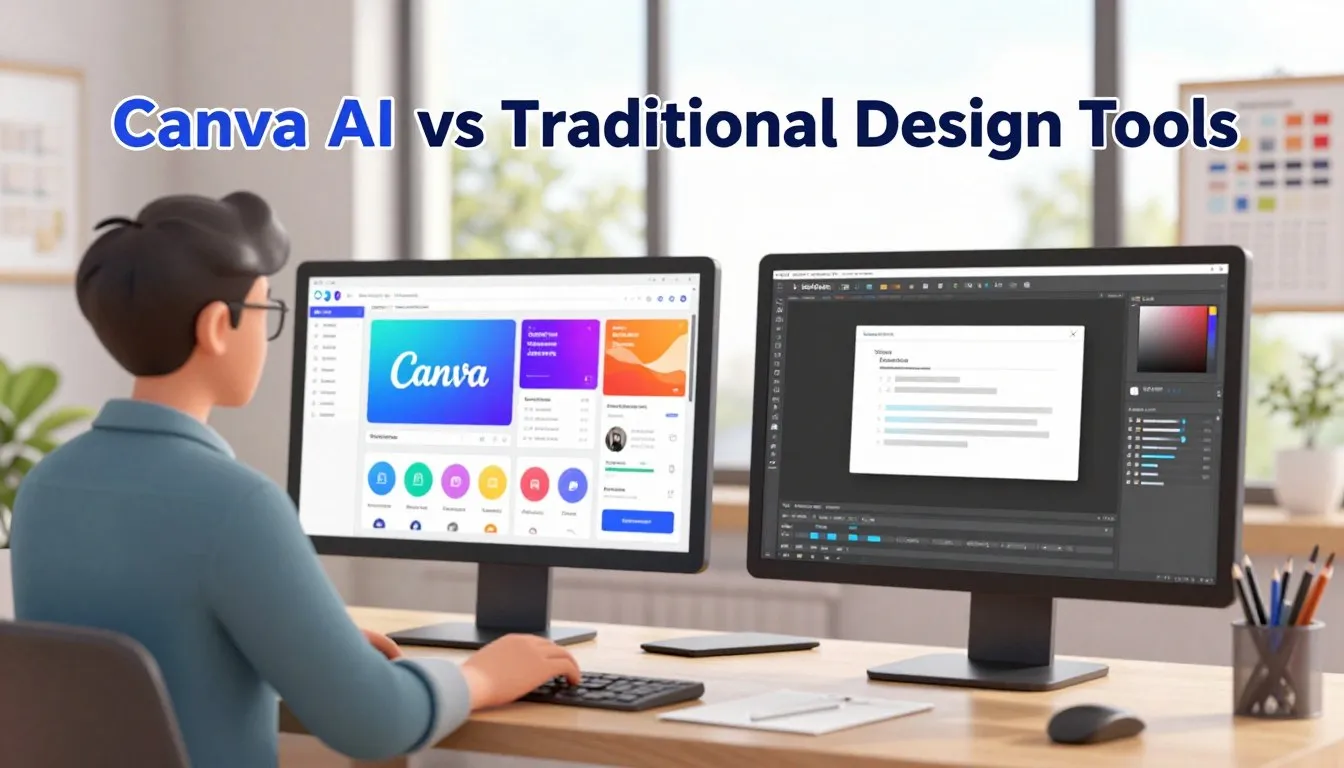
As brands look for efficient ways to create engaging content, the debate between Canva AI and traditional design tools heats up. The choice between leveraging AI-powered design tools and sticking with traditional methods can significantly impact your branding efforts.
Canva AI brings a revolutionary approach to design, automating many tasks that were once manual and time-consuming. But how does it stack up against traditional design tools in terms of cost, speed, and the skills required?
Cost Comparison
One of the most significant advantages of Canva AI is its cost-effectiveness. Traditional design tools and hiring professional designers can be expensive. In contrast, Canva AI offers a range of pricing plans, including a free version, making it accessible to businesses of all sizes. According to a report by Forbes, the use of AI in design is not only cost-effective but also opens up new possibilities for small businesses and startups.
Using Canva AI can significantly reduce design costs. For instance, creating social media graphics with Canva AI’s Magic Design feature is not only fast but also free, whereas hiring a designer or using advanced traditional design software can incur substantial costs.
Speed and Productivity
Canva AI excels in enhancing speed and productivity. With features like Text to Image and Magic Write, designers and non-designers alike can produce high-quality content quickly. Traditional design tools, while powerful, often require more time and expertise, slowing down the design process.
The automation provided by Canva AI means that tasks such as formatting, color selection, and even content suggestions are handled by the AI, allowing users to focus on the creative aspects of their projects. This is a significant boost in productivity, as noted in a study by Adobe on the impact of AI on creative workflows.
Skill Requirements
Another area where Canva AI differs from traditional design tools is in the level of skill required to use them effectively. Canva AI is designed to be user-friendly, enabling individuals without extensive design experience to create professional-looking designs. In contrast, traditional design tools like Adobe Creative Suite require a higher level of expertise.
This accessibility means that more team members can contribute to the design process, not just those with a design background. As Canva itself notes, the democratization of design is a key benefit of its AI-powered tools.
Step-by-Step: How to Boost Your Brand Using Canva AI
With Canva AI, creating a strong brand identity has never been easier or more accessible. Canva’s AI-powered design software offers a range of tools to enhance your brand’s visual identity and online presence.
Set up your Brand Kit
The first step in boosting your brand with Canva AI is to set up your Brand Kit. This involves uploading your brand’s logo, color palette, and typography to create a consistent visual identity across all your marketing materials. To do this, navigate to the Brand Kit section in Canva and follow the prompts to upload your brand assets.
By setting up your Brand Kit, you can ensure that all your designs are on-brand and consistent, saving you time and effort in the long run.
Create AI-powered designs
Once your Brand Kit is set up, you can start creating AI-powered designs using Canva’s Canva Pro features. Canva AI offers a range of design tools, including Magic Design and Text to Image, that can help you create professional-looking designs quickly and easily.
To create an AI-powered design, simply select the design type you want to create, choose a template, and let Canva AI do the rest.
Optimize designs for each platform
The final step is to optimize your designs for each platform. Canva AI allows you to easily resize and adjust your designs to fit different social media platforms, websites, and marketing materials. This ensures that your brand’s visual identity is consistent across all channels.
By following these steps and leveraging Canva’s AI design tools, you can boost your brand’s online presence and create a strong, consistent visual identity.
Pros and Cons of Canva AI Design Tools
The integration of AI in Canva’s design tools has transformed branding, bringing with it several advantages and a few drawbacks. As brands continue to leverage these tools for their visual content needs, understanding both the benefits and limitations is crucial.
Advantages for Branding
Canva’s AI design tools offer numerous benefits for branding, including the ability to create professional-looking designs without extensive design experience. The artificial intelligence design capabilities enable rapid generation of high-quality visuals, significantly reducing the time and cost associated with traditional design processes.
One of the key advantages is the consistency that Canva AI brings to branding. With features like Brand Kit, businesses can ensure that all their marketing materials have a uniform look and feel, reinforcing their brand identity across different platforms.
Limitations You Should Know
While Canva’s AI design tools are incredibly powerful, there are limitations to be aware of. For instance, relying heavily on AI-generated content can sometimes result in designs that lack a unique touch, making it challenging to stand out in a crowded market.
Additionally, the quality of the output is heavily dependent on the input provided to the AI. This means that users need to have a clear understanding of their branding requirements and be able to communicate these effectively through the tool’s parameters.
Despite these limitations, Canva’s AI design tools remain a valuable resource for businesses looking to enhance their branding through online graphic design service. By understanding both the advantages and the limitations, brands can make informed decisions about how to best utilize these tools.

Who Should Use Canva AI for Branding?
Canva AI is emerging as a crucial tool for anyone looking to boost their brand identity and online presence. Its versatility and user-friendly interface make it an ideal solution for a variety of users.
Startups & SMEs
For startups and small to medium-sized enterprises (SMEs), creating a strong brand identity is crucial. Canva AI tools for branding enable these businesses to produce professional-looking graphics and marketing materials without the need for extensive design experience.
According to a report by Forbes, having a consistent brand image is vital for building customer trust and loyalty. Canva AI helps achieve this consistency across various platforms.
Freelancers & creators
Freelancers and creators can also greatly benefit from using Canva AI branding tools. These tools allow them to quickly produce high-quality visuals for their clients or personal projects, enhancing their portfolio and professional image.
“Canva has been a game-changer for my business. The AI tools have saved me so much time and allowed me to deliver high-quality designs to my clients.” Emily R., Freelance Graphic Designer
Marketing teams
Marketing teams within larger organizations can utilize ai design tools for small businesses and enterprises to streamline their branding efforts. Canva AI enables them to create customized campaigns, social media graphics, and other marketing materials efficiently.
By leveraging Canva AI, marketing teams can ensure brand consistency and reduce the time spent on designing materials from scratch.
FAQ
Understanding Canva AI’s features is crucial for maximizing its potential in branding. Here, we address some of the most frequently asked questions about Canva AI, covering its design features, marketing applications, and usage.
Q: What are Canva AI’s key design features?
A: Canva AI offers a range of innovative design features, including Magic Design for instant brand visuals, Magic Write for AI-powered brand copy, and Text to Image for creating unique brand graphics. These features are designed to streamline the design process, making it easier to produce high-quality content.
Q: How can Canva AI be used for marketing?
A: Canva AI is a powerful tool for marketing, enabling businesses to create consistent brand identities, generate engaging social media content, and design professional marketing materials without the need for extensive design experience. By leveraging Canva AI’s capabilities, marketers can enhance their brand’s visual presence and messaging.
Q: How do I get started with using Canva AI tools?
A: To start using Canva AI tools, simply log in to your Canva account, navigate to the design you want to work on, and select the AI feature you wish to use. Canva’s intuitive interface makes it easy to explore and apply AI-driven design enhancements. For more detailed guidance, Canva offers tutorials and resources to help you get the most out of its AI capabilities.
Q: Can Canva AI help with maintaining brand consistency?
A: Yes, one of the key benefits of Canva AI is its ability to help maintain brand consistency. With features like Brand Kit AI, you can ensure that all your designs adhere to your brand’s visual identity, including specific colors, fonts, and logos. This consistency is crucial for building a strong brand image.
Q: Are there any limitations to using Canva AI?
A: While Canva AI offers numerous benefits, it’s essential to be aware of its limitations. For instance, the quality of AI-generated content can depend on the input data and the specific feature being used. Additionally, while Canva AI can significantly streamline the design process, it’s still important to review and refine the output to ensure it meets your brand’s standards.
Q: What are Canva’s AI design tools, and how do they work?
A: Canva’s AI design tools are a suite of features that use artificial intelligence to help users create professional-looking designs. These tools work by providing users with AI-powered suggestions, templates, and design elements that can be customised to suit their branding needs.
Q: How can Canva AI help with branding and marketing efforts?
A: Canva AI can help with branding and marketing efforts by providing users with consistent and professional-looking designs, automating certain design tasks, and offering AI-powered suggestions for improving brand identity.
Q: What is Magic Design, and how can it be used for branding?
A: Magic Design is a Canva AI tool that allows users to create instant brand visuals using AI-powered templates and design elements. It can be used to create consistent branding across various marketing materials, such as social media graphics, website visuals, and more.
Q: Can Canva AI be used by non-designers, and is it easy to use?
A: Yes, Canva AI is designed to be user-friendly and accessible to non-designers. The AI-powered tools provide guidance and suggestions, making it easy for users without extensive design experience to create professional-looking designs.
Q: How does Canva AI compare to traditional design tools in terms of cost and productivity?
A: Canva AI is generally more cost-effective and productive than traditional design tools, as it automates certain design tasks and provides AI-powered suggestions, saving users time and effort.
Q: Can Canva AI be used for creating marketing materials, such as ads and social media graphics?
A: Yes, Canva AI can be used to create a wide range of marketing materials, including ads, social media graphics, and more. The AI-powered tools provide users with the ability to create consistent and professional-looking designs that can be tailored to their branding needs.
Q: What are the limitations of using Canva AI for branding and marketing efforts?
A: While Canva AI is a powerful tool, it may have limitations in terms of customisation and flexibility. Users may need to adjust the AI-powered suggestions to fit their specific branding needs, and may require additional design expertise for more complex design tasks.
Q: Is Canva AI suitable for small businesses and entrepreneurs?
Yes, Canva AI is suitable for small businesses and entrepreneurs, as it provides an affordable and user-friendly solution for creating professional-looking designs without requiring extensive design experience.
Final Verdict – Is Canva AI Worth It for Branding?
In conclusion, Canva AI design tools are revolutionizing the branding landscape. With its array of innovative features, Canva AI is making it easier for businesses to create professional-grade branding materials without the need for extensive design experience.
Canva AI’s impact on branding is multifaceted, offering benefits such as faster content creation, consistent brand identity, and professional designs without the hefty price tag of hiring a designer. These advantages make Canva AI an attractive option for businesses of all sizes.
When Canva AI is the Best Choice
Canva AI is particularly beneficial for businesses that need to produce a high volume of branding materials quickly. It’s also ideal for small businesses and startups that may not have the resources to hire a full-time designer. Additionally, Canva AI’s ease of use makes it accessible to non-designers, allowing marketers and entrepreneurs to take control of their branding efforts.
Long-term Branding Benefits
The long-term benefits of using Canva AI for branding are substantial. By leveraging AI-powered design tools, businesses can maintain a consistent brand image across all platforms, enhance their brand’s visual appeal, and stay ahead of the competition. Furthermore, Canva AI’s continuous updates and improvements ensure that users have access to the latest design trends and technologies.
In summary, Canva AI design tools are worth it for branding due to their ability to streamline the design process, foster creativity, and produce high-quality branding materials. Whether you’re a small business owner, marketer, or entrepreneur, Canva AI can help elevate your brand to the next level.
About the Author & Disclosures
John Cosstick is Founder-Editor of TechLifeFuture.com and winner of the 2024 BOLD Award for Open Innovation in Digital Industries. He is a former banker, accountant, and certified financial planner. He is now a freelance journalist and author. John is a member of the Media Entertainment and Arts Alliance (Union). You can visit his Amazon author page by clicking HERE.
Reference Links
For more information on Canva’s AI design tools and how to boost your brand, visit the official Canva website. Explore the Canva design editor to learn more about its advanced features.
Explore the comprehensive range of advanced design tools offered by Canva, including AI-powered design assistance. For guidance on using Canva AI, check out the Canva help center, which offers tutorials and resources on Canva AI assistance.
Additional resources and tutorials on using Canva’s AI design tools can be found on Canva Design School. Enhance your branding skills with expert insights and step-by-step guides.
- https://www.canva.com/magic/
- https://www.canva.com/ai-assistant/
- https://thesocialshepherd.com/blog/canva-statistics
- https://www.canva.com/newsroom/news/one-year-canva-enterprise/
- https://petapixel.com/2024/10/22/adobe-competitor-canva-used-by-95-of-fortune-500-companies/
- https://www.cnbc.com/2025/06/10/canva-cnbc-disruptor-50.html