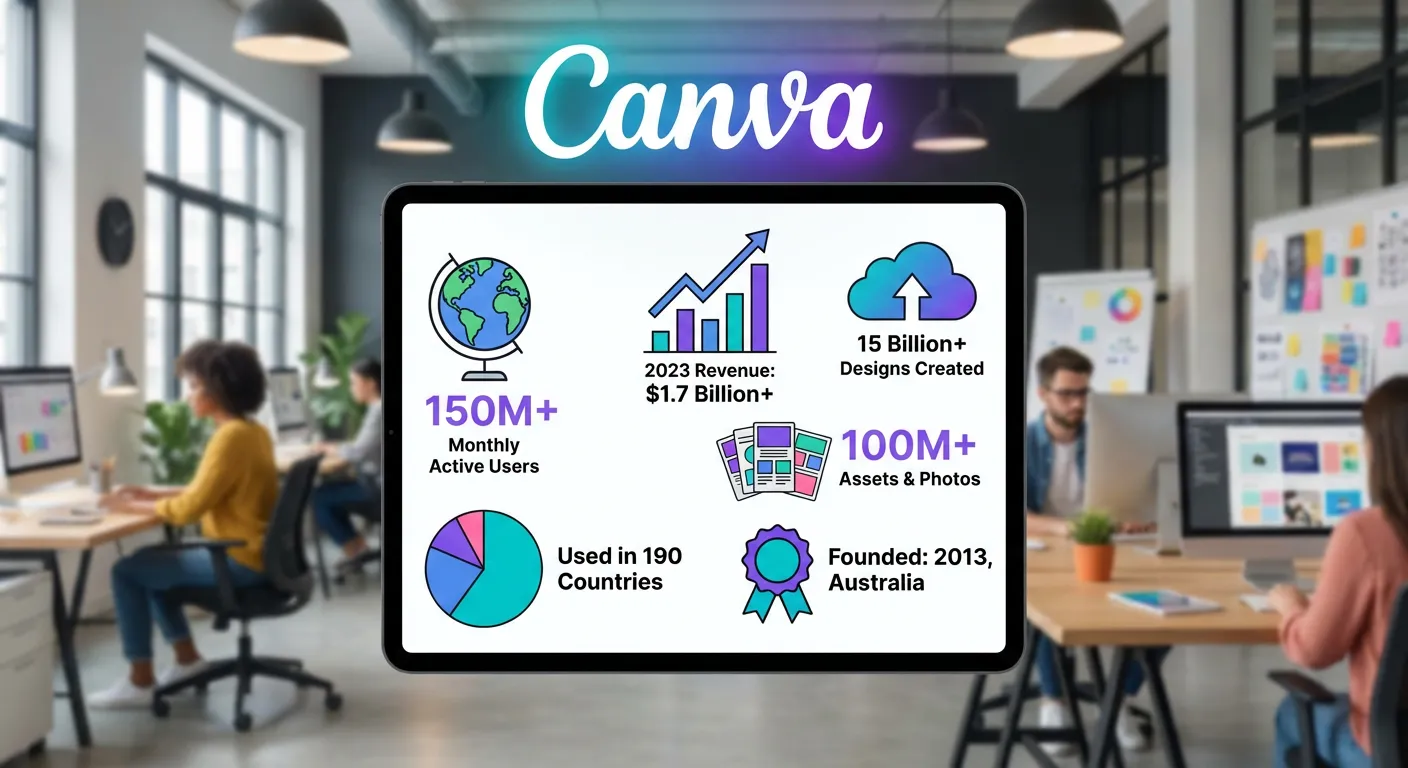
Did you know over 75 million people worldwide use Canva for their projects? This graphic design software makes designing easy for everyone. You don’t need to be an expert to create amazing designs. Canva is loved for its simple design and huge template library. It’s a must-have design tool for both personal and business use. You can make everything from social media posts to infographics with ease.
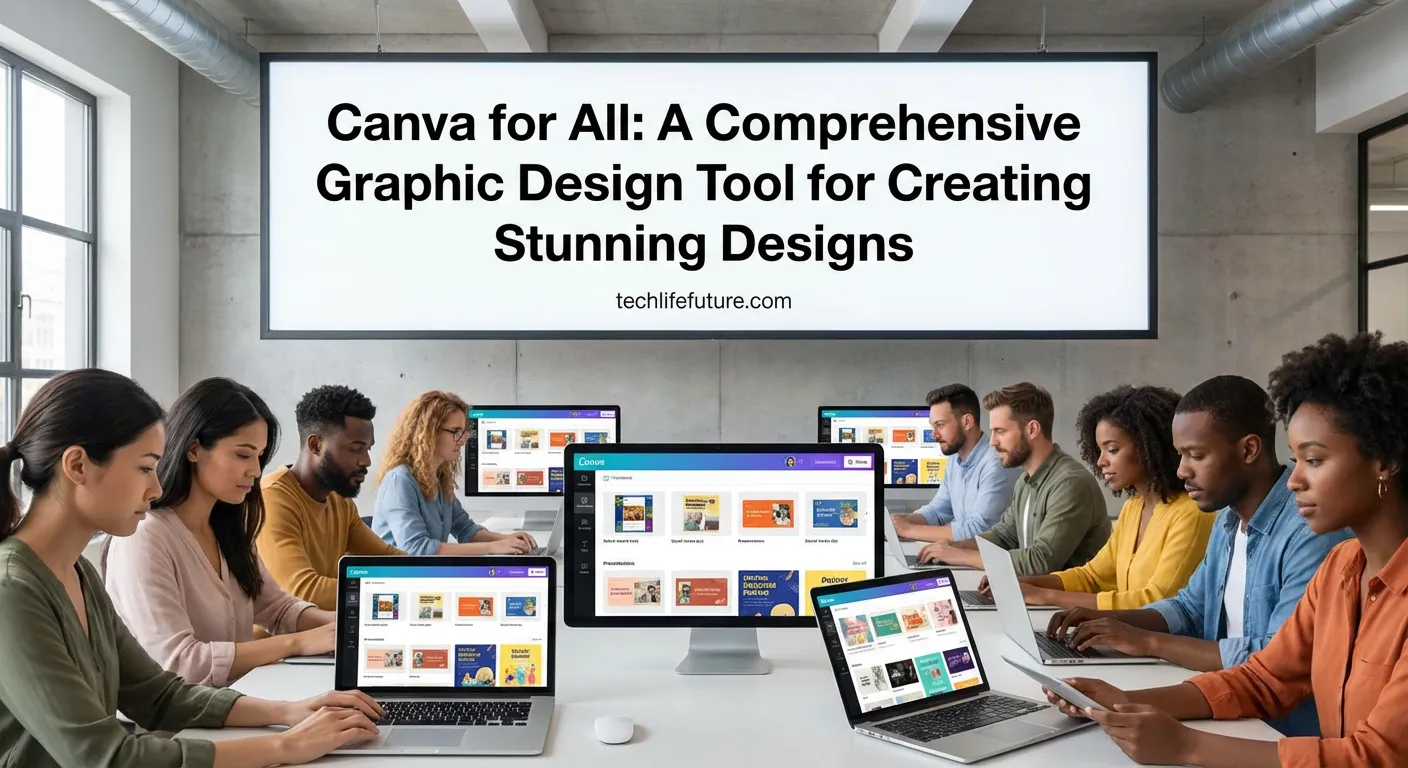
Canva lets users turn their ideas into reality. It’s a key player in the design world. And its popularity keeps growing as more people find out what it can do.
Intro
Canva has changed the game in graphic design, making it easy for everyone to use. It doesn’t matter if you’re a pro or just starting out. Canva has all the tools you need to make amazing designs. As an online graphic design tool, Canva means you don’t need to be a design expert. You can still make top-notch graphics easily.
Canva is great for many things, like social media graphics, presentations, and documents. It has a huge library of templates, fonts, and images. This makes designing fun and quick. So, Canva is a top choice for both individuals and businesses. It helps them make eye-catching content that grabs people’s attention.
Canva has made graphic design accessible to all. Now, anyone can make professional designs without needing to be a design expert.
What Is Canva?
Canva is a powerful graphic design platform that makes design accessible to everyone. It’s designed to be easy to use, so you can create professional-looking designs without needing to be a design expert.
Overview of Canva as a graphic design tool
Canva has a wide range of features for different design needs. You can make social media graphics, presentations, and documents. Its drag-and-drop editor lets you add text, images, and more to your designs easily.
With thousands of templates available, you can quickly customize your designs. This makes it easy to get started.
Key features of Canva include: a vast library of stock photos, icons, and elements. It also has a user-friendly interface and collaboration tools for teams.
Why Canva is popular worldwide
Canva is loved by many because it’s easy to use and offers great value. Melanie Perkins, Canva’s CEO, says, “Canva is designed to empower everyone to create beautiful designs.” This idea has won over users all over the world.
“Canva has revolutionized the way we create visual content, making it possible for anyone to produce high-quality designs.”
Canva’s global appeal comes from its ability to connect design pros and non-designers. It offers a powerful yet easy-to-use platform for everyone.
Why Canva Is a Graphic Design Tool for Everyone
Canva is easy to use and has lots of templates. This makes it a favorite for many people. It’s great for all sorts of users.
Canva for beginners and non-designers
Canva is perfect for those new to design. It has a drag-and-drop editor and lots of fonts, images, and illustrations. This helps users make designs that look good.
It’s also easy to use. Even if you don’t know much about design, you can still use Canva. It’s great for personal projects or small businesses.
Canva for professionals and marketers
Professionals and marketers will find Canva useful. It helps create consistent branding. You can make social media graphics, presentations, and documents all in one place.
Canva also has customizable templates and collaboration tools. This makes it easy for teams to work together. They can make sure designs are top-notch and match their brand.
It also has a huge library of fonts, icons, and images. This lets professionals make designs that are just right for their needs. Whether it’s for a marketing campaign or a client project, Canva has you covered.
Canva for students and small businesses
Students and small businesses also get a lot from Canva. Students can use it to make presentations, posters, and more. The free version has lots of templates and tools, which is great for those on a tight budget.
Small businesses can use Canva to make marketing materials like flyers and social media graphics. You don’t need to be a design expert or spend a lot of money. Canva is affordable and flexible, making it a great choice for businesses.
Key Features of Canva Graphic Design Tool
Canva’s appeal lies in its powerful and easy-to-use design features. It has changed the graphic design world. Now, anyone can design, no matter their experience.
Drag-and-Drop Editor
Canva’s drag-and-drop editor is a big deal. It lets users easily create stunning designs. You don’t need to know complex design software.
This feature makes adding elements and adjusting layouts simple. You can also customize templates to fit your needs.
Thousands of Ready-Made Templates
Canva has thousands of ready-made templates for different projects. You’ll find templates for social media, presentations, posters, and more. These are made by pros and can be customized easily.
Stock Photos, Icons, and Elements
Canva also offers a huge collection of stock photos, icons, and elements. These add visual interest and depth to your designs. They help you get your message across better.
Customization and Design Ideas
Canva lets you go beyond templates and design elements. You can upload your own images, fonts, and more. This freedom, along with Canva’s design ideas, helps you create creative and engaging content.
Using these features, users can tap into their creativity. They can make high-quality designs that grab their audience’s attention.
Canva Free vs Canva Pro
It’s important to know the differences between Canva’s free and Pro versions. This helps you choose the right one for your graphic design needs.
Features Available in the Free Version
Canva’s free version has many features for basic graphic design. You get hundreds of templates, a drag-and-drop editor, and lots of fonts and images. It’s great for individuals or small businesses with simple design needs.
Advanced Tools in Canva Pro
Canva Pro has tools not found in the free version. You get custom fonts, better photo editing, and the chance to make your own templates. Plus, Canva Pro offers unlimited storage and makes resizing designs easy.
Is Canva Pro Worth It?
Whether Canva Pro is worth it depends on your design needs. If you’re a pro or a business needing advanced features, Canva Pro is a good choice. But, if you just need basic design, the free version might be enough.
What Can You Create Using Canva?
Canva lets users turn their ideas into reality with its wide range of design tools. It offers many templates, fonts, and images. This makes it simple to make designs that look professional, even if you’re not a graphic design expert.
Social Media Graphics
Canva is great for making social media graphics. It helps boost your brand’s online presence or share updates with followers. Canva’s templates make creating posts, stories, and ads easy and engaging.
For social media graphics, use bright colors and clear typography. Canva’s drag-and-drop editor lets you try out different designs. This way, you can find the perfect look for your graphics.
Presentations and Documents
Canva is not just for social media. It’s also great for making presentations and documents. It has templates for presentations, reports, and resumes. This helps you create documents that grab your audience’s attention.
For presentations, use Canva’s animation features and image editing tools to make slides more engaging. For documents, use Canva’s customizable templates to make your work look polished and professional.
Logos, Posters, and Flyers
Canva is also perfect for designing logos, posters, and flyers. It has a huge library of shapes, icons, and fonts. This gives you the freedom to create unique and compelling designs.
When making a logo, think about the brand identity and message you want to share. Canva’s easy-to-use interface lets you try out different shapes and colors. This way, you can find the perfect combination for your logo.
Videos and Short-Form Content
Canva also lets you create videos and short-form content. It has video editing tools and templates. This makes it easy to make engaging videos for social media, explainer videos, or promotional content.
To make effective videos, use Canva’s text animation features and transition effects to keep viewers interested. Remember to optimize your video for the platform you’re using, like YouTube, TikTok, or Instagram.
Canva Compared to Other Graphic Design Tools
Canva has become popular for its ease of use in graphic design. But how does it stack up against Photoshop and Illustrator? This is important for designers, marketers, and businesses looking for the right tool.
Canva vs Photoshop
Canva and Photoshop serve different needs. Photoshop is a powerful tool for pros, great for advanced editing. Canva, on the other hand, is easy to use for creating social media graphics and presentations.
Photoshop has advanced features like layer masking and content-aware fill. Canva has a drag-and-drop editor and lots of templates. Your choice depends on the project’s complexity and your design skills.
Canva vs Illustrator
Canva and Illustrator are for different design tasks. Illustrator is best for logos and detailed illustrations. Canva can handle vector graphics but isn’t as strong as Illustrator for complex editing.
Canva is easy to use and quick to produce professional designs. It’s great for those who need quality graphics without a big learning curve.
Canva vs Other Online Design Tools
Canva isn’t the only online design tool. Figma, Sketch, and GIMP offer unique features. Figma is great for team projects, and Sketch is loved by digital designers.
Canva stands out for its ease of use, making it popular with non-designers and small businesses. But for advanced features, other tools might be better.
In summary, Canva is a strong contender in the graphic design world. It’s not a replacement for Photoshop or Illustrator for complex tasks. But it’s perfect for many graphic design needs.+
Pros and Cons of Using Canva
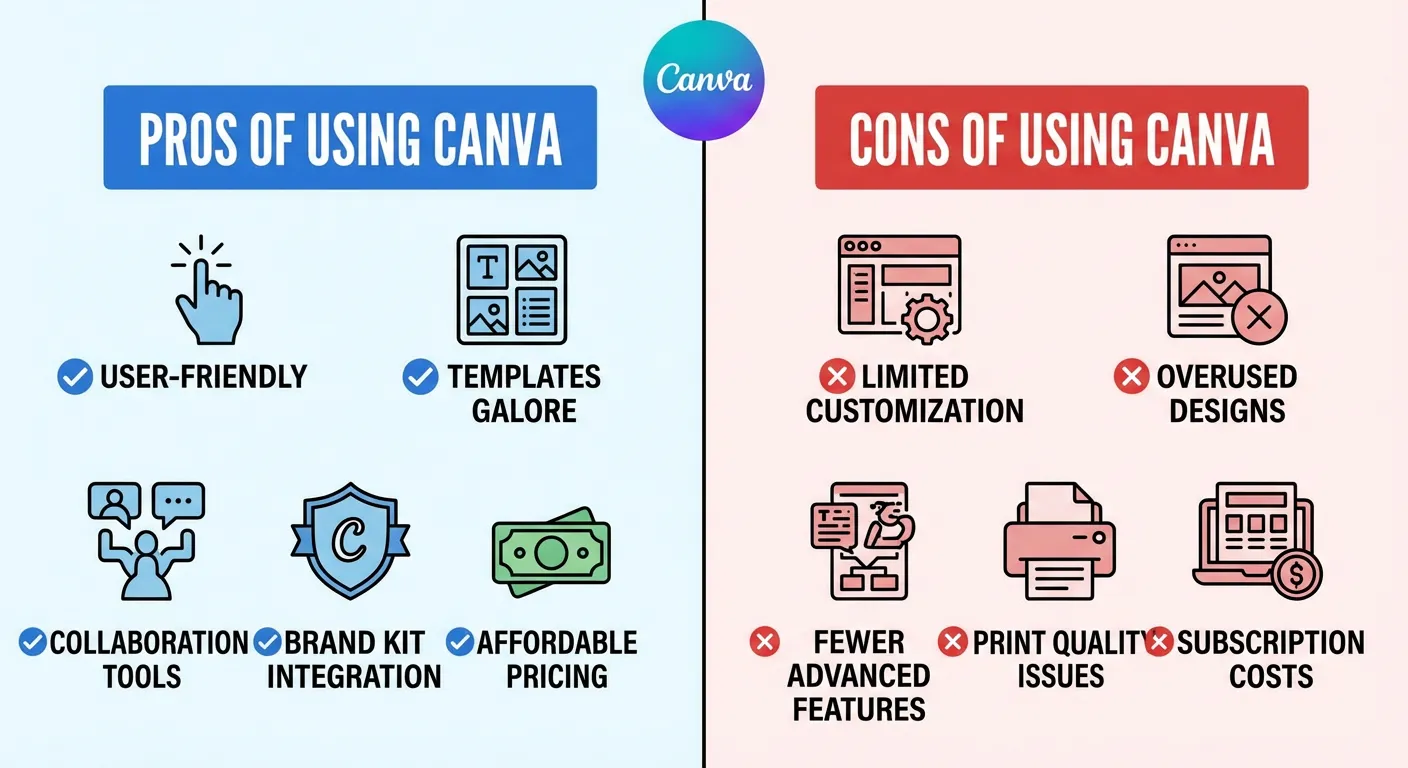
Canva is a versatile graphic design tool with both benefits and drawbacks. This section will look at what makes Canva great and what might hold it back for graphic design needs.
Advantages of Canva
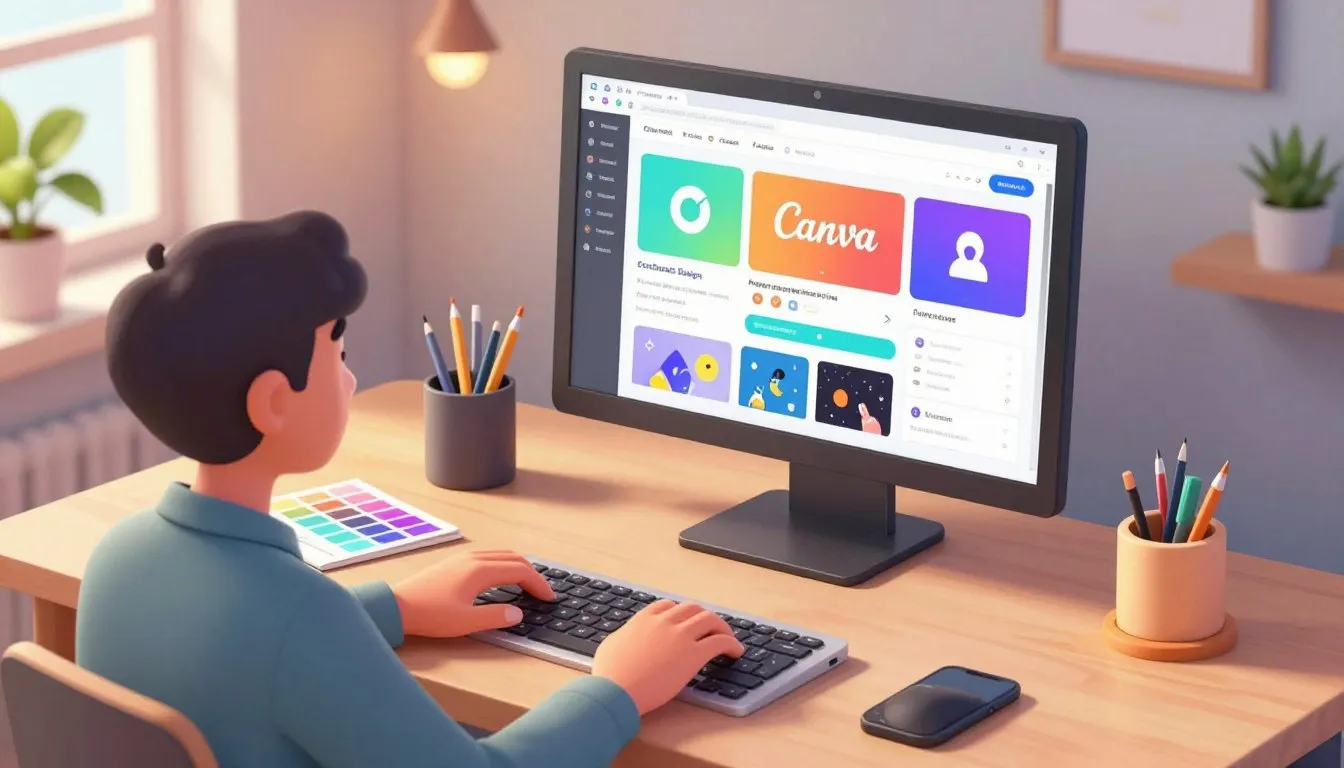
Canva’s interface is easy to use, making it perfect for beginners and non-designers. Its drag-and-drop editor makes designing simple. This means users can create professional-looking graphics without needing a lot of design experience.
There are thousands of ready-made templates for different design needs. Whether it’s for social media, presentations, or documents, users can find something to fit their brand and message.
Limitations you should know
While Canva is powerful, it’s not perfect. Advanced users might find it lacks some features compared to Adobe Photoshop or Illustrator.
Another issue is that Canva needs internet to work. This can be a problem for users who want to design offline. But, Canva has improved its offline capabilities with its mobile app.
In summary, Canva has a lot to offer for graphic design needs. Knowing its strengths and weaknesses helps users decide if Canva is right for their projects.
Who Should Use Canva Graphic Design Tool?
Canva is great for many users. It’s easy to use and packed with features. Whether you’re a pro or a beginner, Canva has something for you.
Freelancers and Creators
Freelancers and creators will love Canva. It has lots of templates and tools for making amazing visuals. With Canva, freelancers can enhance their productivity and make designs fast.
Canva’s drag-and-drop editor is simple to use. It’s perfect for those new to design. This lets freelancers focus on their creativity, not getting stuck in complicated software.
SMEs and Startups
SMEs and startups can use Canva for their marketing graphics. It’s affordable, which is great for small budgets.
Canva helps SMEs and startups make many designs. From social media to presentations, it keeps their brand looking good everywhere.
Teachers and Students
Teachers and students can make educational materials with Canva. It has templates for presentations and posters. Canva also has collaboration features for group projects.
Teachers can make their lessons more engaging with Canva. It helps students learn better too.
In short, Canva is perfect for many users. It’s easy, has lots of features, and is affordable. It’s great for freelancers, SMEs, startups, teachers, and students to make top-notch designs.
FAQ
Canva is a top graphic design tool that’s caught the eye of many worldwide. We’ll cover some common questions about it, like its features and tutorials.
Q1: What is Canva, and how does it work as a graphic design tool?
Canva is a popular online platform for creating visual content. It lets users make everything from social media graphics to presentations. You can use a drag-and-drop editor and access a huge library of templates and elements.
Q2: Is Canva suitable for beginners and non-designers?
Yes, Canva is great for beginners and non-designers. It has a simple interface that makes creating professional designs easy. You don’t need to know a lot about design to use it.
Q3: Can I use Canva for free, or do I need to upgrade to Canva Pro?
Canva offers both a free version and Canva Pro. The free version has lots of features and templates. Canva Pro adds more advanced tools and premium templates, perfect for professionals and businesses.
Q4: What types of designs can I create using Canva?
Canva lets you create many types of designs. You can make social media graphics, presentations, documents, logos, and more. It’s a versatile tool for all your design needs.
Q5: How does Canva compare to other graphic design tools like Photoshop and Illustrator?
Canva is easier to use than Photoshop and Illustrator. It has a range of features and templates for different needs. But, it might not have all the advanced tools of these professional software.
Q6: Can I collaborate with others on Canva, and is it suitable for team projects?
Yes, Canva is great for team projects. You can invite others to edit designs and track changes. It makes collaboration easy and improves productivity.
Q7: Are Canva’s templates customisable, and can I upload my own fonts and images?
Yes, Canva’s templates are fully customisable. You can change layouts, add your own text and images, and more. You can also upload your own fonts and images for more control over your designs.
Q8: Is Canva a good choice for students and educators?
Absolutely, Canva is perfect for students and educators. It offers many features and templates for creating educational content. It’s also a great way to learn about graphic design.
Final Thoughts – Is Canva the Best Graphic Design Tool?
Canva is a tool that meets many design needs. It’s easy to use and works well for both beginners and experts. This makes it a top choice for many users.
When Canva is the Right Choice
Canva is perfect for those who want to make visual content without spending a lot. It has lots of canva templates and a simple drag-and-drop editor. This means you can make great designs, even if you’re not a pro.
It’s also great for trying out new ideas. Canva’s template gallery and design elements give you lots of canva design ideas. This is perfect for anyone who loves to be creative.
Long-term Value for Designers and Brands
For designers and brands, Canva keeps getting better. It adds new templates and features all the time. This means you can always make fresh content. Plus, it’s great for teams working together on projects.
In short, Canva is a fantastic graphic design tool. It’s easy to use, versatile, and always improving. It’s a great choice for many different design needs.
About the Author & Disclosures
John Cosstick is Founder-Editor of TechLifeFuture.com and winner of the 2024 BOLD Award for Open Innovation in Digital Industries. He is a former banker, accountant, and certified financial planner. He is now a freelance journalist and author. John is a member of the Media Entertainment and Arts Alliance (Union). You can visit his Amazon author page by clicking HERE.